

 Click to zoom Flash Deal 1 / 5

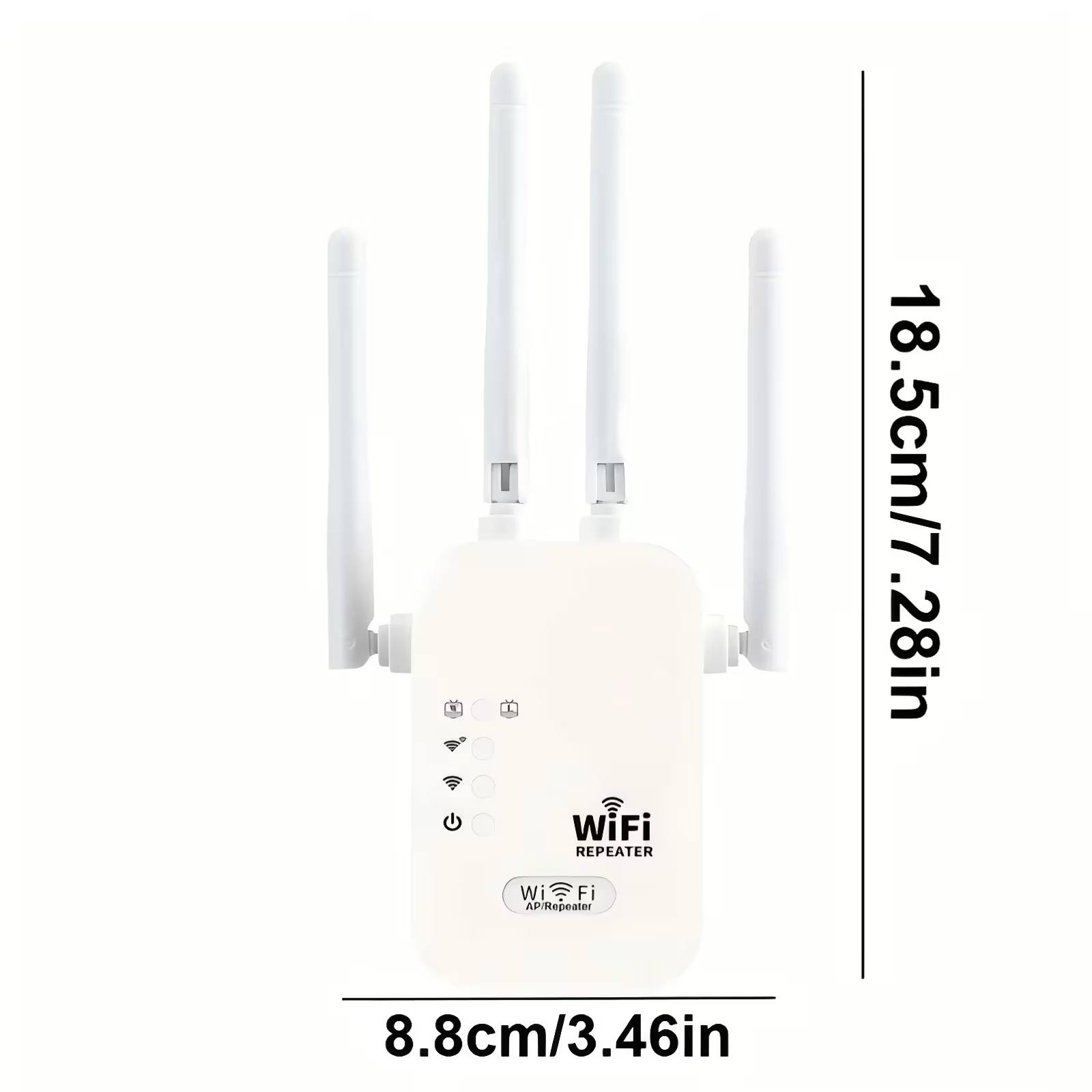


1200Mbps Wireless WiFi Repeater, Dual Band 2.4GHz & 5GHz WiFi Range Extender 802.11ac Gigabit WiFi Booster With WPS
You save $3.41
- Fast & Free Shipping On orders over $100
- Secure Payment 100% safe & encrypted
- Easy Returns 30-day hassle free returns
- 24/7 Customer Support We are here to help
This 1200Mbps wireless WiFi repeater is a dual band extender that receives the signal from your existing router and boosts it into rooms where WiFi usually drops out. It works on both 2.4GHz and 5GHz, supports speeds of up to 1200 Mbps, and can be paired with your router either by pressing the WPS buttons or through a web management page.
What this dual band WiFi extender does
The extender is built for the everyday WiFi problems found in apartments, offices, shops and similar spaces: weak signals, dead zones and unstable network speeds. By picking up and amplifying your router's signal, it widens wireless coverage over longer distances and keeps a steadier connection in places that were previously hard to reach, such as bedrooms, balconies, bathrooms and hallways.
Using WiFi 6 technology, the extender is designed to deliver lower latency, stronger resistance to interference and more stable connections when several devices are online at once. It is broadly compatible with mobile phones, computers, TVs, smart home devices and other wireless terminals. Setup is plug and play, so you can finish configuration quickly without specialist networking knowledge.
Before you install
- Check that the device and its accessories arrived intact, including the main extender unit and the user manual.
- Position the extender between your main router and the WiFi dead zone so it can receive the router signal reliably.
- Keep it away from metal obstacles, thick walls, microwaves, induction hobs, cordless phones and other strong sources of interference, which can reduce signal quality and network speed.
- Choose a dry, ventilated and cool location, free from high temperatures and humidity, to avoid damage and keep performance stable.
Two ways to configure the extender
WPS one-button connection (recommended)
- Plug the extender into a socket near your main router and wait until the indicator light comes on and the unit enters pairing mode.
- Within one minute, press the WPS button on your main router. The WPS light normally starts blinking quickly.
- Immediately press the WPS button on the extender and wait for the automatic connection.
- When the indicator light shines a steady green or blue, pairing has succeeded.
- Unplug the extender and move it to the position where you want full signal coverage. This method needs no password entry and suits users who are not familiar with network settings.
Web management setup (compatible with all routers)
- Connect your phone or computer to the extender's default WiFi name, which is printed on the device label.
- Open a browser and enter the management IP address (usually 192.168.x.x), or scan the QR code in the manual.
- Log in with the default administrator password to open the setup wizard.
- Select your main router's WiFi name and enter the correct WiFi password.
- Set the extended WiFi name and password. Using the same name and password as your main router supports seamless roaming.
- Save the settings and wait for the device to restart. A steadily lit indicator light means setup is complete.
Placement and daily use tips
Correct placement directly determines WiFi performance. The best spot is roughly midway between the router and the area with a weak signal, so the extender receives strongly and amplifies effectively. Too great a distance leads to slow speeds and frequent dropouts, while too short a distance limits how far the extension reaches.
Choosing between 2.4GHz and 5GHz
- Connect to the 5GHz band for short distances and high-speed tasks, where it offers faster speed and lower latency.
- For longer distances and wall penetration, connect to the 2.4GHz band for more stable, wider coverage.
- The extender supports several devices connected at the same time. For best stability, switch it off and on again every 7 to 15 days.
What the indicator light means
- Steady light: the device is powered on normally.
- Blinking light: the device is booting or establishing a connection.
- Steady green or blue: connected successfully with a good signal.
- Blinking red or solid yellow: weak signal, so move the extender closer to the router.
- All lights off: check the power supply or for device damage.
Restoring factory settings
If you forget the password, misconfigure the settings, cannot establish a connection or change your usage environment, perform a reset. Press the reset opening with a needle or toothpick for 8 to 10 seconds until all the lights blink. Release, and the device returns to factory settings. All previous settings are erased and you can configure it again.
Warnings and troubleshooting
- This device only extends WiFi coverage; it does not increase your broadband bandwidth.
- Do not use the extender outdoors in rain, in high temperatures or in dusty environments.
- Slow speeds after extending: usually caused by a weak signal or interference, so adjust the placement.
- Extended WiFi not found: reset and reconfigure, and check that the main router is working normally.
- Frequent disconnections: keep away from interference, restart the router and extender, and check that the password is correct.
In short
The WiFi 6 dual band wireless extender is simple to operate and practical, because it effectively improves insufficient WiFi coverage and weak signals. With the right placement, sensible configuration and regular maintenance, it can run stably over a long period and provide fast, seamless internet access throughout the home for everyday entertainment, office work and smart home connections.
| Dropshipping | |
|---|---|
| Logistics Type | COMMON |
| Material | Others |
| Packaging | Carton, Plastic bags |
Similar products
 Sale
1200Mbps Wireless WiFi Repeater WiFi Signal Booster Dual-Band 2.4G 5G WiFi Extender 802.11ac Gigabit WiFi Amplifier WPS Router
 Sale
1200 Mbps Wireless Wi-Fi Repeater, Dual-Band 2.4 GHz 5 GHz Wi-Fi Signal Booster, 802.11ac Gigabit Wi-Fi Extender, WPS Router
 Sale
Wifi Repeater Wireless Signal Amplifier Extended Network Enhancer EU US Home Router 300m Through The Wall Bedroom Receive Moving


Frequently bought together

 Sale
Black Base With White Polka Dots, Women's 7Length Yoga Pants, High-Waisted Elastic Printed Leggings, Casual Fitness Sports Leggings
 Sale
【Replace 31778252】6 FT Pre-lit Artificial Christmas Tree, Hinged Xmas Pine Tree with 900 Branch Tips, 300 Lights and Remote Control for Holiday Party Office Home, Silver


Customers also viewed


 Sale
 Sale
1 LED Bunny/Fat Bear/Stupid Bear/Chestnut Bear/Duck Night Light, Cute Rainbow light Changing Silicone Light, Pat Control, USB Charging Soft Silicone Light, Christmas Gift for Girls, Boys(Random color)
 Sale
【Replace 49344027】FCH 6ft PVC Material DIY 150 Lights Warm Color 8 Modes 1050 Branches Christmas Tree Green
 Sale